🔥 AlbumPsAI v2.2.0.1 • Smart Wedding Album Software for Photoshop

Design Full Wedding Album Spreads in Minutes, Not Hours.

Built specifically for wedding photographers and album designers. Fast automatic sheet designs, Equal-Maximized Big Photos, 3 simple filling methods, and works directly inside Adobe Photoshop from CS3 to CC 2026+.
Photoshop CS3 — CC 2026+ Compatible 100% Lossless Native Photoshop Integration Auto Left/Right 12x36 Spread Split
✨
Equal-Maximized Layouts All photos get maximum page area
⚡
Instant Photo Swap 1-Click swap between frames
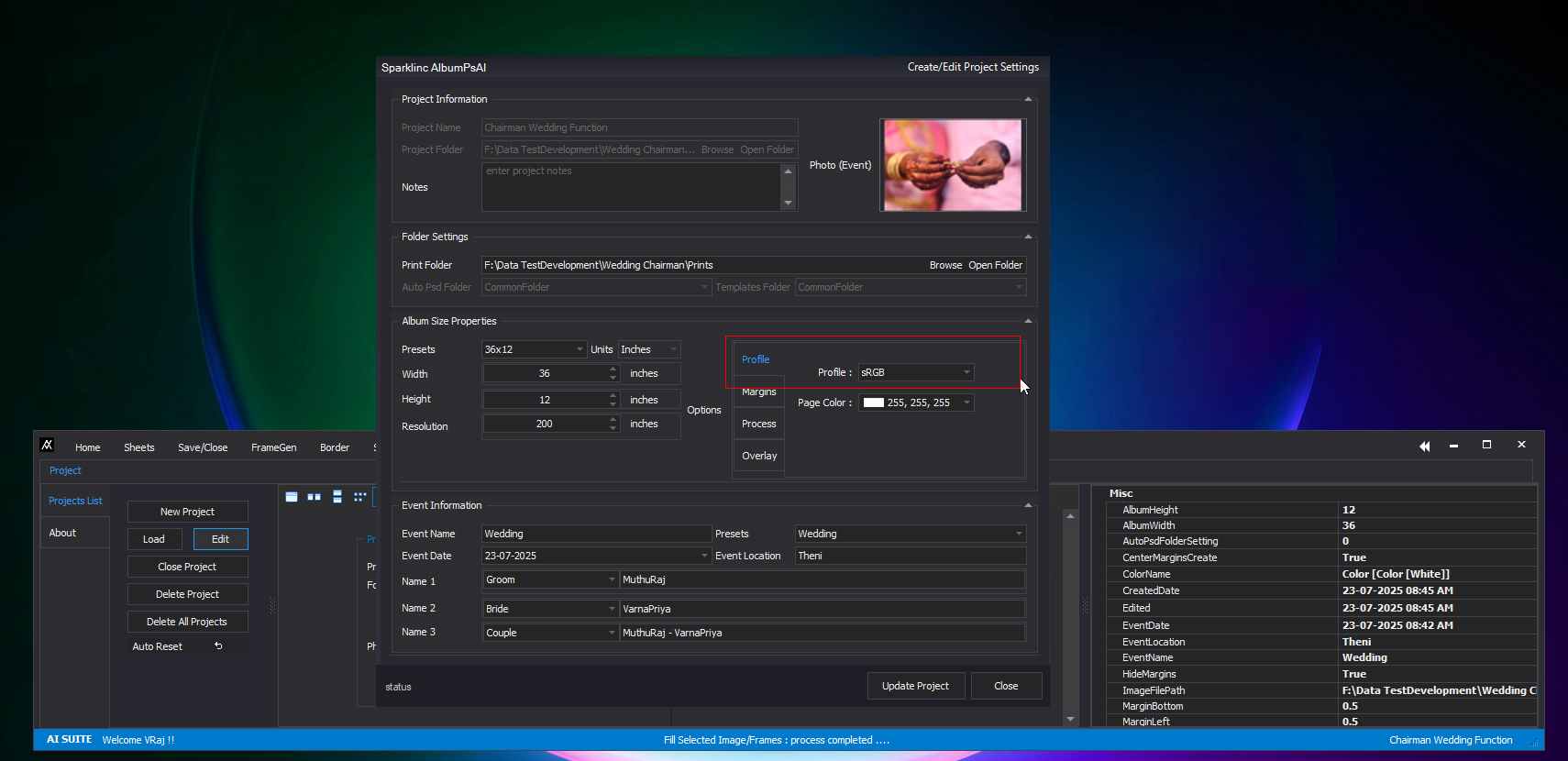
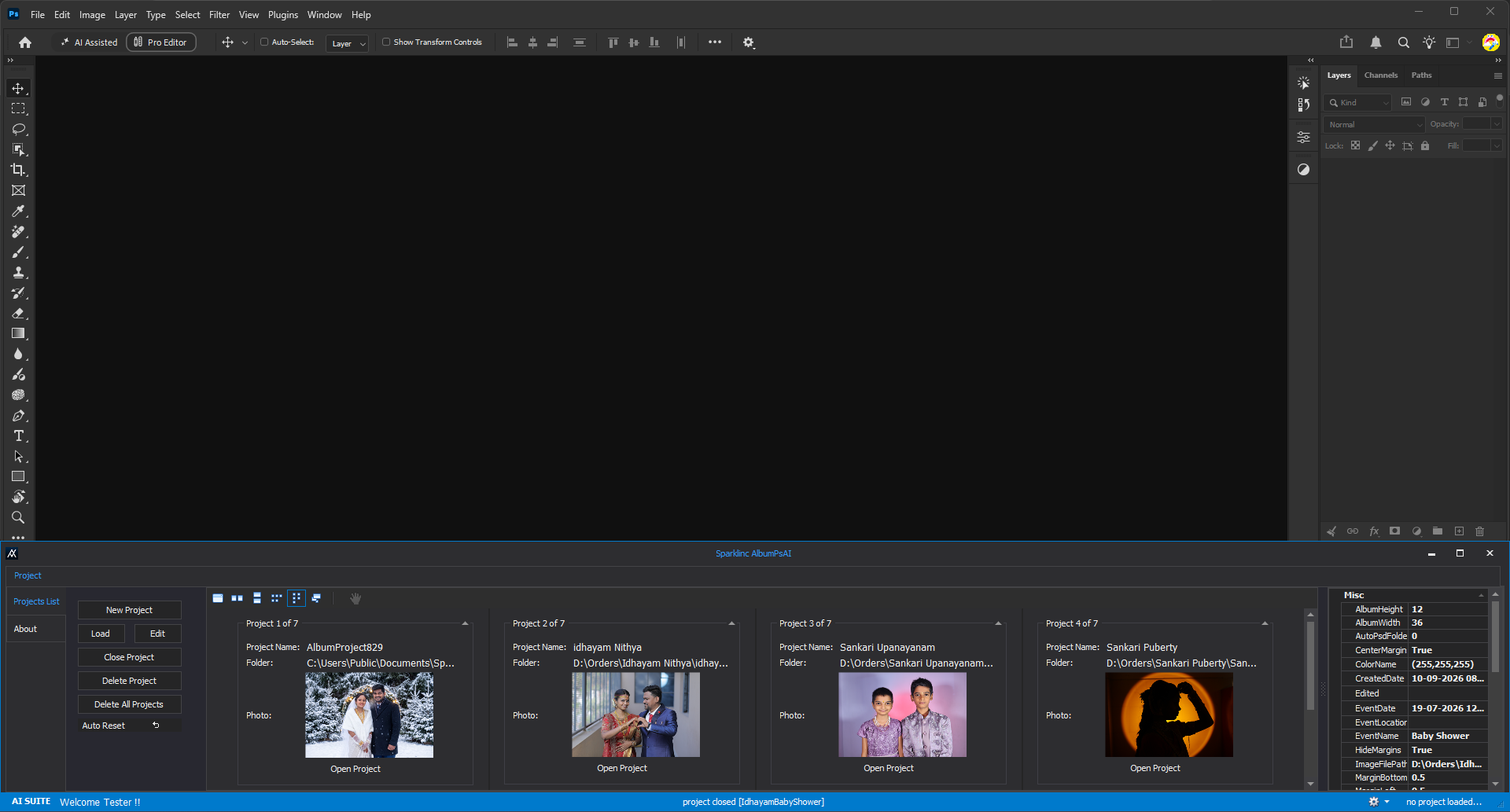
Adobe Photoshop • 12x36 Wedding Spread • AlbumPsAI Floating Tools
ACTIVE CONNECTION
AlbumPsAI Photoshop Screen
Click to view high-res workspace
The AlbumPsAI Difference

"Always All Photos Need Biggest As Possible"

In wedding and function albums, every family member, sacred ritual, and couple portrait carries equal importance. Putting 1 giant photo with 4 tiny stamp-sized thumbnails creates unhappy clients. AlbumPsAI makes sure every photo gets the largest possible display on the page.

Other Tools: Tiny Stamp Photos That Waste Space

Other tools shrink family photos into tiny passport-sized boxes to make random "variations", wasting valuable album space and making important relatives unrecognizable.

1 Huge Photo
Tiny Stamp 1
Tiny Stamp 2
Tiny Stamp 3

AlbumPsAI: Equal Big Photos, Maximum Impact

AlbumPsAI makes full use of every inch of your album sheet. Every single photo gets equal importance, large clear display, clean borders, and perfect balance.

Full Big 1
Full Big 2
Full Big 3
Full Big 4

Standard Equal Layouts Included:

Photo 1
Photo 2
Photo 3
Photo 4
4 Photos (2x2 Grid)
4 Equal Big Photos
Photo 1
Photo 2
Photo 3
3 Vertical Photos
3 Full-Height Portraits
Photo 1 Wide
Photo 2 Wide
Photo 3 Wide
3 Horizontal Photos
3 Wide Full-Width Photos
1
2
3
4
5
6
6 Photos (3x2 Grid)
6 Equal Balanced Photos
Easy Photo Placement

The 3 Simple Photo Filling Methods

Whether you want photos placed naturally across the page, in exact numbering sequence, or matched by portrait and landscape orientation, AlbumPsAI makes it quick and effortless.

DEFAULT METHOD • NATURAL PAGE FLOW

Smart Arrangement for 12x36 Wedding Spreads

AlbumPsAI automatically understands dual-page album spreads, identifies the center book fold, and neatly places your photos starting from the left page and continuing across to the right page.

  • Natural Page Flow: Fills left page photos first (top-to-bottom, left-to-right), followed smoothly by the right page.
  • Clean Row Alignment: Photos on the same line are aligned neatly without awkward zigzag jumping.
  • Center Fold Safe: Protects bride and groom faces from being placed right in the middle book binding fold.
LEFT PAGE (Page 1) CENTER FOLD RIGHT PAGE (Page 2)
Photo 1 [Top-Left]
Photo 2 [Bottom-Left]
Photo 3 [Right-1]
Photo 4 [Right-2]
Automatic Left-to-Right Spread Sequencing • Zero Manual Layer Dragging
METHOD 02 • BY SEQUENCE ORDER

Fill Photos in Step-by-Step Order

Great for custom studio PSD templates where photos follow a story sequence (Groom Entry → Bride Entry → Garland Exchange → Rituals).

  • Automatic Number Matching: Detects frames named frame1, frame2, frame3 and fills photos in order.
  • Quick Frame Search: Type any frame number in the search box and press Enter to jump straight to that frame in Photoshop.
  • Works With Any Template: 100% compatible with all standard third-party PSD templates worldwide.
STEP-BY-STEP PHOTO ARRANGEMENT
[01] Photo_001.jpg → Goes into: frame1
[02] Photo_002.jpg → Goes into: frame2
[03] Photo_003.jpg → Goes into: frame3
Precise 1:1 Matching for Wedding Story Progression
METHOD 03 • BY PHOTO ORIENTATION

Matches Portrait and Landscape Photos Automatically

Solves the biggest hassle for designers: putting a vertical standing photo into a wide frame and having heads or feet cut off.

  • Automatic Photo Recognition: Instantly detects which photos are vertical standing portraits and which are wide landscape shots.
  • Perfect Pairing: Vertical standing photos go strictly into vertical frames; wide photos go strictly into wide frames.
  • Customizable Order: You can also choose whether to fill them left-to-right or by sequence number.
AUTOMATIC ORIENTATION MATCHING
▯ Vertical Standing Frame Standing Portrait Matched
▭ Wide Landscape Frame Wide Shot Matched
Zero Cropping Surprises • Perfect Subject Proportions Always
Visual Tour

Designed for Fast & Easy Studio Editing

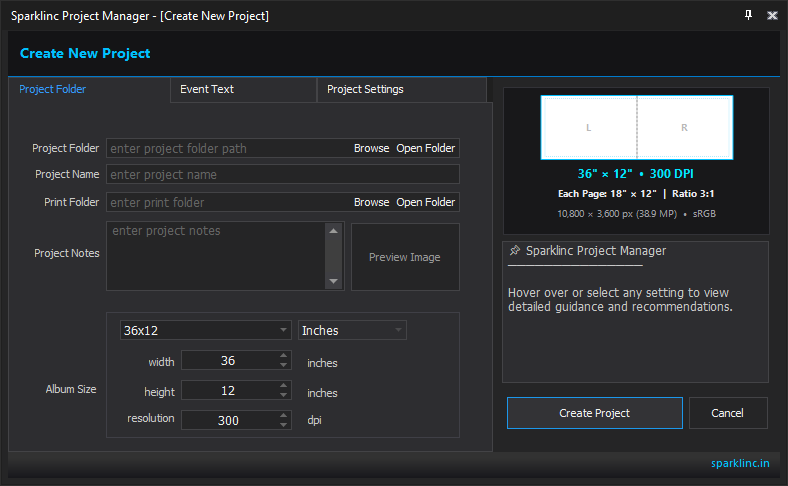
AlbumPsAI floats right on top of Photoshop on your screen, making album designing effortless. Take a look at the real screens below:

Studio Features

Built for Peak Production Speed

Every tool in AlbumPsAI is made from real feedback from high-volume Indian wedding photographers and album lab designers.

1-Click Photo Swap (Shuffle)

Client asks to swap photos between frames? Don't delete and re-import! Just click Shuffle to swap photos between frames instantly without losing positions or effects.

1-Click Swap • Zero Re-work

Split Frame into Multi-Photos

Need to add more photos to an existing frame? Split any frame into 2, 3, or 4 equal boxes with clean border gaps automatically.

Add More Photos to Any Frame

Batch Color Correction & Tone

Apply quick one-click color correction, natural skin warmth, and wedding color tones across entire album spreads or hundreds of photos in your client folder at once.

Consistent Natural Skin Tones

FontFixer (Missing Font Resolver)

No more annoying missing font warnings when opening client PSD templates. FontFixer automatically detects missing fonts and replaces them with your computer's installed fonts.

Zero Template Font Errors

Zero Photo Distortion Lock

Automatic aspect ratio protection guarantees bride, groom, and family photos never get squished, stretched, or distorted during placement. Every face stays natural, sharp, and true to life.

100% Natural Proportions Always

Used / Unused Photo Tracking

Never wonder which photos made it into the album. AlbumPsAI marks used photos with visual checkmarks and count badges. One-click filter lets you review only the remaining unused candid snaps.

100% Client Photo Accounting

Works With All Photoshop Versions

Whether your studio runs classic Adobe Photoshop CS3 or CS6, or the newest Adobe Photoshop CC 2026+ on Windows 10 or 11, AlbumPsAI works right away with zero complicated setup.

✓ Photoshop CS3 ✓ Photoshop CS4 ✓ Photoshop CS5 ✓ Photoshop CS6 ✓ CC 2014 – 2019 ✓ CC 2020 – 2024 ✓ CC 2025 – 2026+ Windows 10 & 11 Ready
SPEED KEYS

Designed for Fast Studio Production

Finish complete 40-sheet wedding albums in half the time by using these easy single-key shortcuts.

~ Stay on Top
Alt + ~ Side Drawer
Shift + ~ Next Monitor
Ctrl + Z Instant Undo
View All Shortcuts (26+) →
Studio Pricing

One Simple, All-Inclusive Plan

Complete AlbumPsAI access. Everything included. Full Photoshop CS3 through CC 2026+ support for 1 full year.

Got Questions?

Frequently Asked Questions

Everything you need to know about using AlbumPsAI in your photography studio.

Yes, absolutely! AlbumPsAI works smoothly with Adobe Photoshop CS3, CS4, CS5, CS6, and all modern Photoshop CC releases (including CC 2020 through 2026+) on Windows 10 and 11.
In wedding photography, clients want clear, beautiful photos of couples, family, and rituals. Other tools randomly create 1 huge photo with 4 tiny thumbnail passport stamps that make relatives invisible. AlbumPsAI arranges every photo evenly across the page (2x2 grid for 4 photos, 3 vertical columns for 3 portraits, etc.) so every single photo gets the largest possible print size.
Yes! AlbumPsAI works with any standard Photoshop PSD sheet. With Method 1 (By Position) it fills photos automatically from left to right. With Method 2 it follows frame numbers, and our built-in FontFixer replaces missing font warnings automatically.
Zero degradation. Photos are placed directly into Photoshop as full high-resolution layers. AlbumPsAI locks the exact proportions, ensuring every pixel, sharpness, and color profile (sRGB / Adobe RGB) stays 100% original.
The Yearly Pass provides 365 days of full, unrestricted access to the complete AlbumPsAI software on your computer, including all feature updates and new versions released throughout the year. Renewal can be done simply via WhatsApp or online.
DESIGN WEDDING ALBUMS AT UNMATCHED SPEED

Ready to Cut Your Album Designing Time by 70%?

Get AlbumPsAI today and experience the speed of automatic photo filling, 1-click photo swaps, and equal-maximized layouts right inside Adobe Photoshop.